

Vocabulary by topic
60 everyday topics such as family, food and travel. Every word has a picture, a meaning and an example sentence.
Alenvar Chinese · A new app from Alenvar
Alenvar Chinese helps you learn Chinese vocabulary with pictures, Pinyin, audio and step-by-step stroke guides for every character.

to learn
Inside Alenvar Chinese
Meanings in 10 languages: Tiếng Việt, English, हिन्दी, বাংলা, اردو, Bahasa Indonesia, नेपाली, العربية, ไทย, 日本語.
60 everyday topics such as family, food and travel. Every word has a picture, a meaning and an example sentence.
Hear each word and example, and read Pinyin with tone marks from day one.
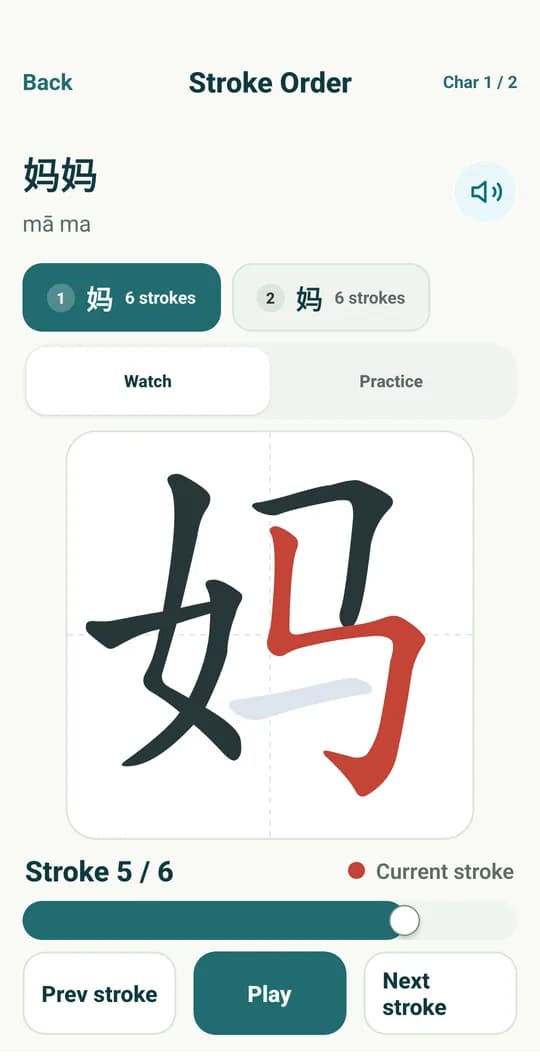
Follow the stroke order on a mi-zi grid (米字格), then trace it by hand on screen.
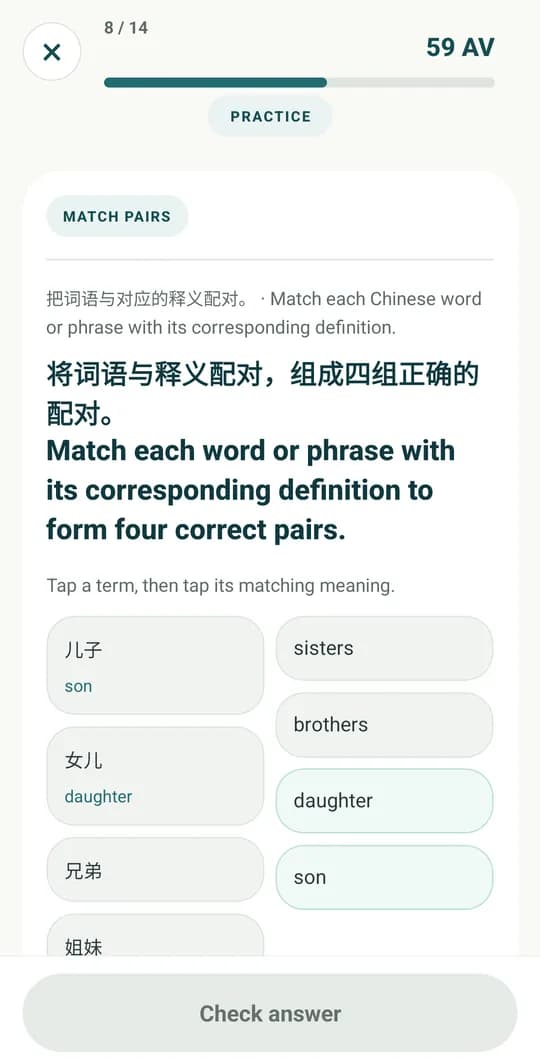
Recognise, listen, match and recall. Words that are due come back in Review.
App screenshots
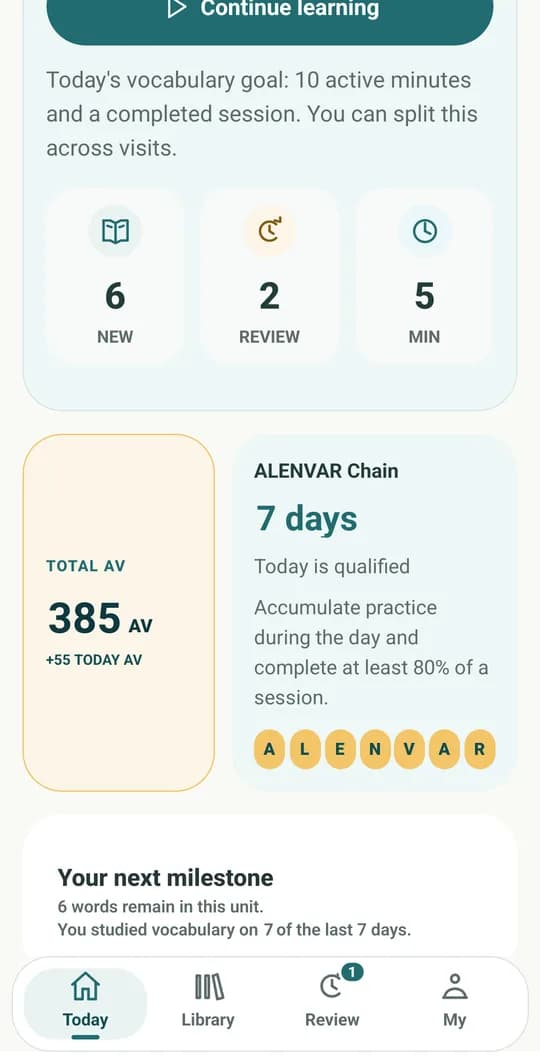
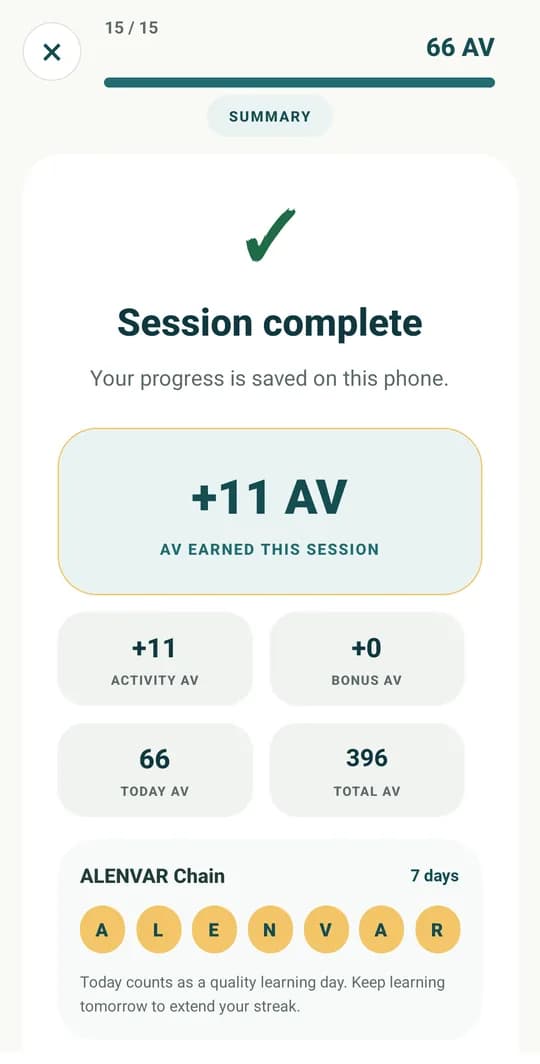
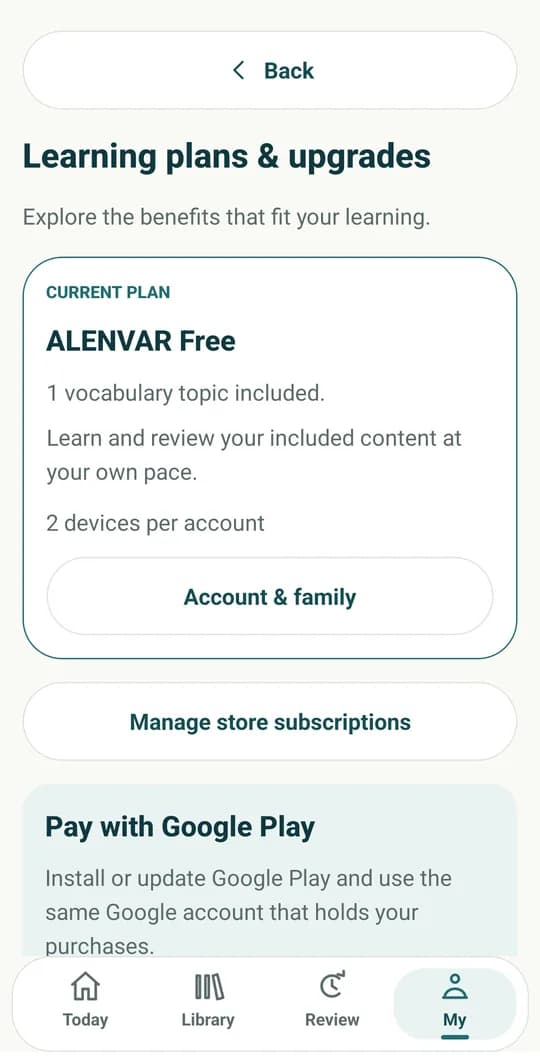
Screenshots from the real app, with explanations in English.

How to use
From installing the app to upgrading your plan.
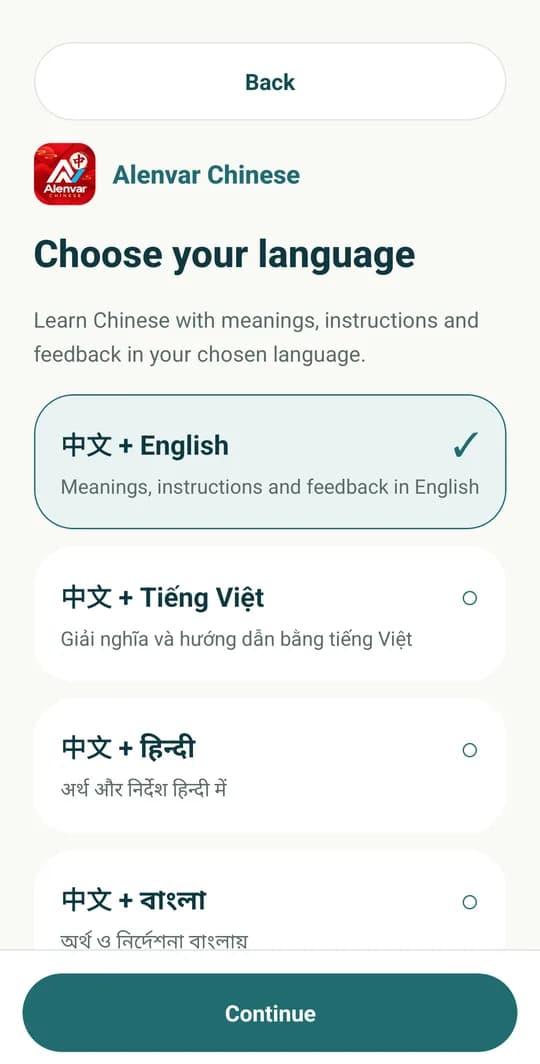
Open the app, pick 中文 + English (or the language you know best) and tap Continue.
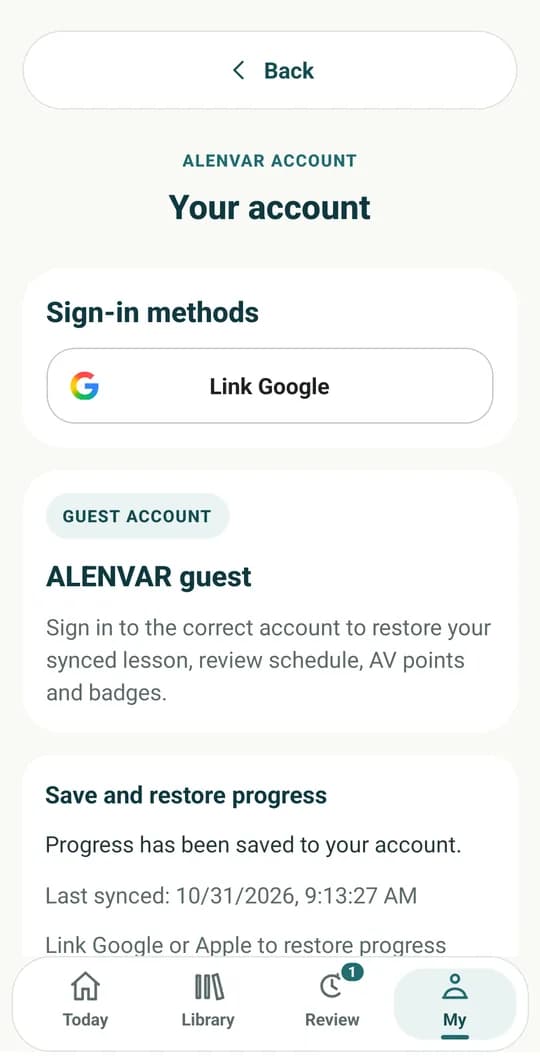
Link Google. You can also start as a guest and sign in later from My.
Open Library and choose one of 60 topics such as Family, Food or Travel.
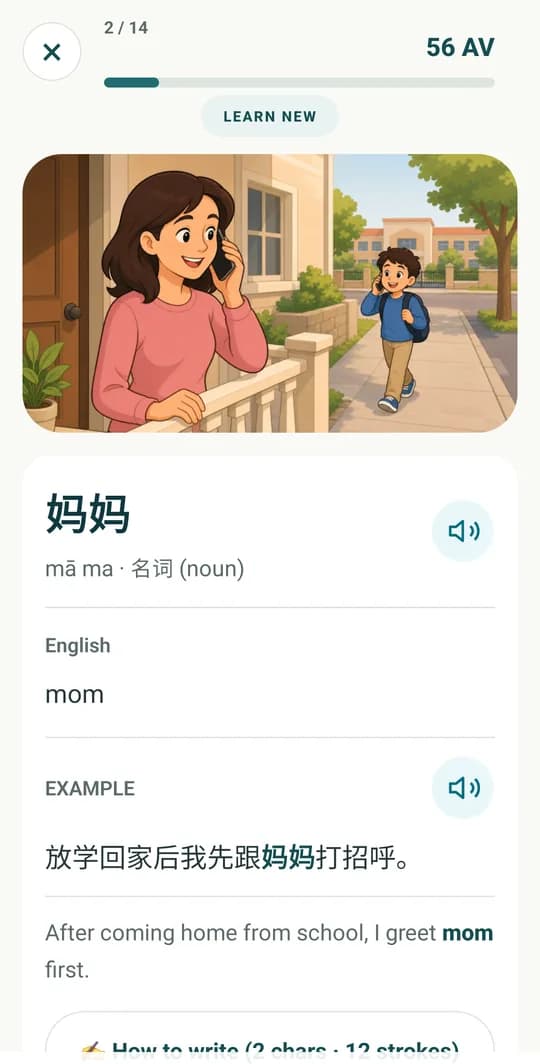
See the picture, characters, Pinyin and meaning. Tap the speaker to hear the word and example.
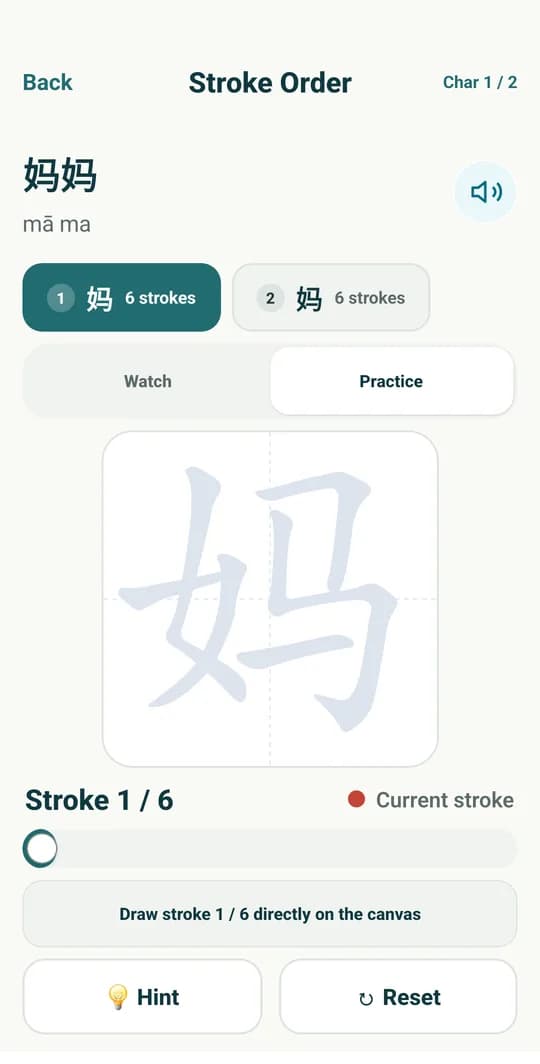
Watch the stroke order, then switch to Practice and write each stroke yourself.
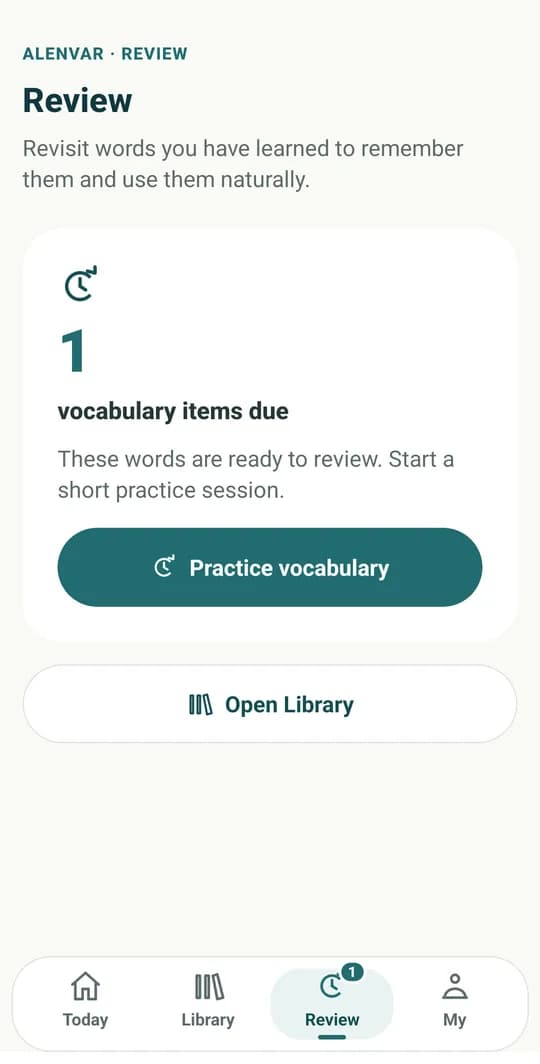
Answer listening, matching and fill-in questions. Words that are due appear in Review.
Finish today's goal to earn AV points and extend your ALENVAR chain.
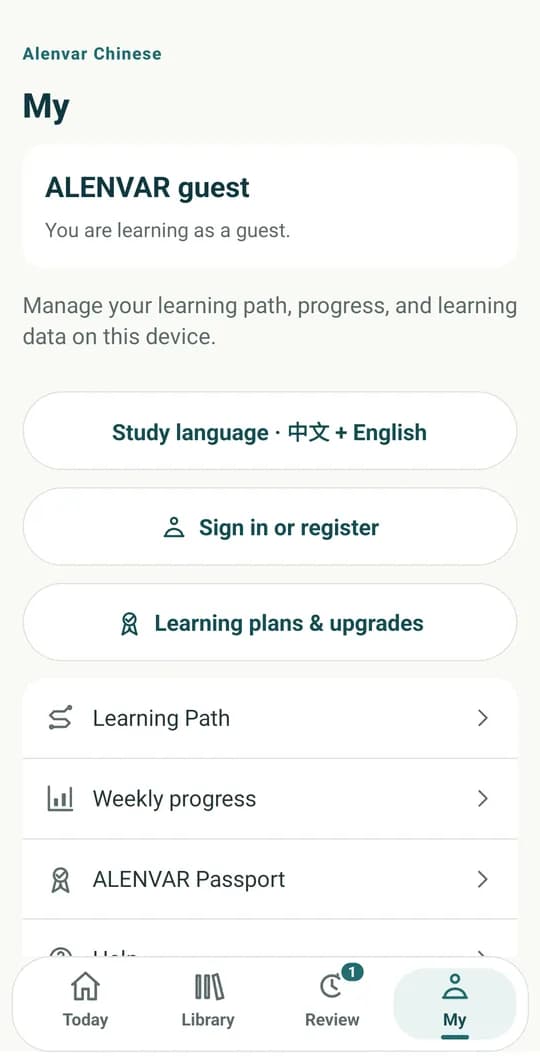
Go to My → Learning plans & upgrades to unlock all 60 topics with Premium or Family.
Alenvar Chinese plans
Buy a plan inside the app through Google Play. Google Play shows the price in your country's currency.
Alenvar Chinese accounts and plans are separate from Alenvar English. A plan works only in the app it was bought in.
Free
6-month or 12-month plan
Price shown on Google Play
6-month or 12-month plan
Price shown on Google Play
Need help? Email [email protected]