
Tracking progress
See learning activity and content due for review.
- Open Today to continue your current session and learning unit.
- Open My → Learning path to see completed, current and upcoming units.
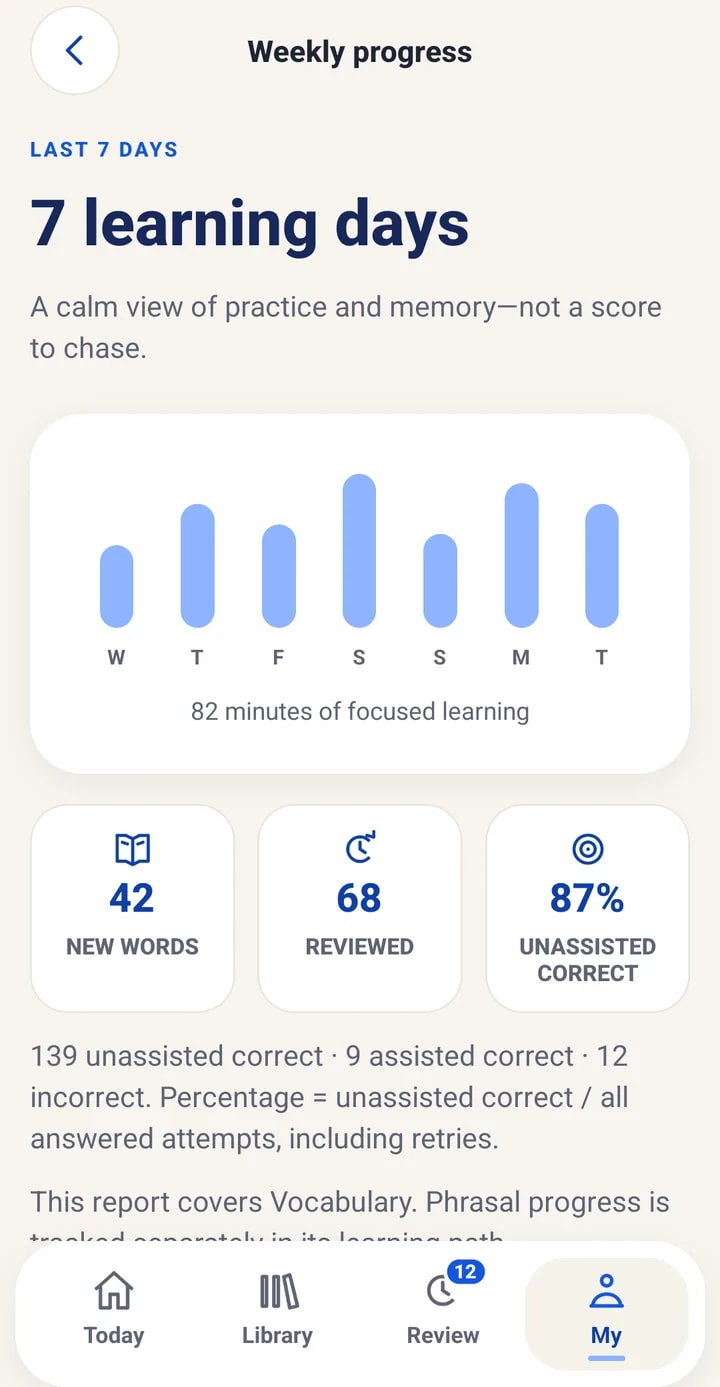
- Open My → Weekly progress to see the last seven days, study time, new words, reviewed content, accuracy and recall.
- Choose Review to see vocabulary and Phrasal meanings due for review. When nothing is due, continue learning in the Library.
- AV points, streaks and badges record learning activity; they are not money or a guarantee of results.
- On a supported Android version, open My account → Account → Save and restore progress → Sync now. Wait for Progress has been saved to your account and check the latest save time before changing devices or uninstalling the app.
- Sign in to the same account on another Android device to restore your saved progress. Only successfully uploaded data can be restored. If the devices have different progress, choose the version to continue with; AV points are not combined. Restoration on Android or iOS depends on your app version; check Save and restore progress.
Alenvar Premium · Family
Unlock all content with Premium.
Buy Premium or Family right in the app through Google Play or the App Store. The price is shown before you confirm.